
Creating setups
A setup is the bridge between a bike in your garage and a trail. It records what you actually ran: pressures, clicks, tokens, tyres, and the conditions that day. Record one per trail you ride and adjust as you learn; the history stays scrollable forever.
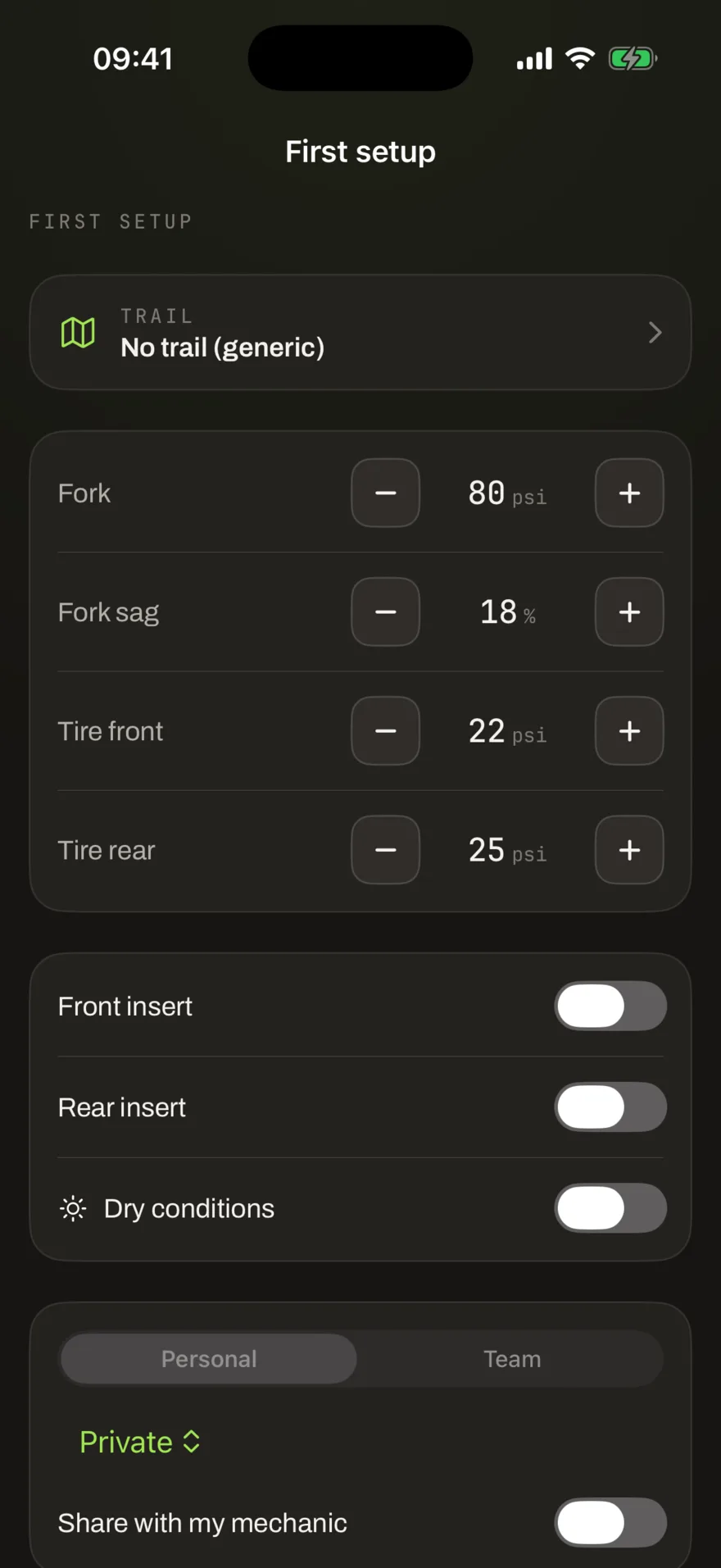
What a setup records
- Fork and shock: pressure, sag, rebound, low and high speed compression, tokens. The form follows your bike type: a hardtail gets no shock block at all, and the platform refuses shock values for bikes that have none.
- Tyres per side: brand, model, size, insert and pressure, front and rear separately. Sizes are bounded by the wheels in your garage.
- Conditions: dry, wet, dusty; the context that explains why this setup looked the way it did.
The rider snapshot rule
Every setup freezes a copy of your rider profile (weight, height, level, style) at the moment you record it. Community comparison then matches who you were when you rode it, never your live profile. Gained five kilos over winter? Your old setups still compare honestly.
Trails
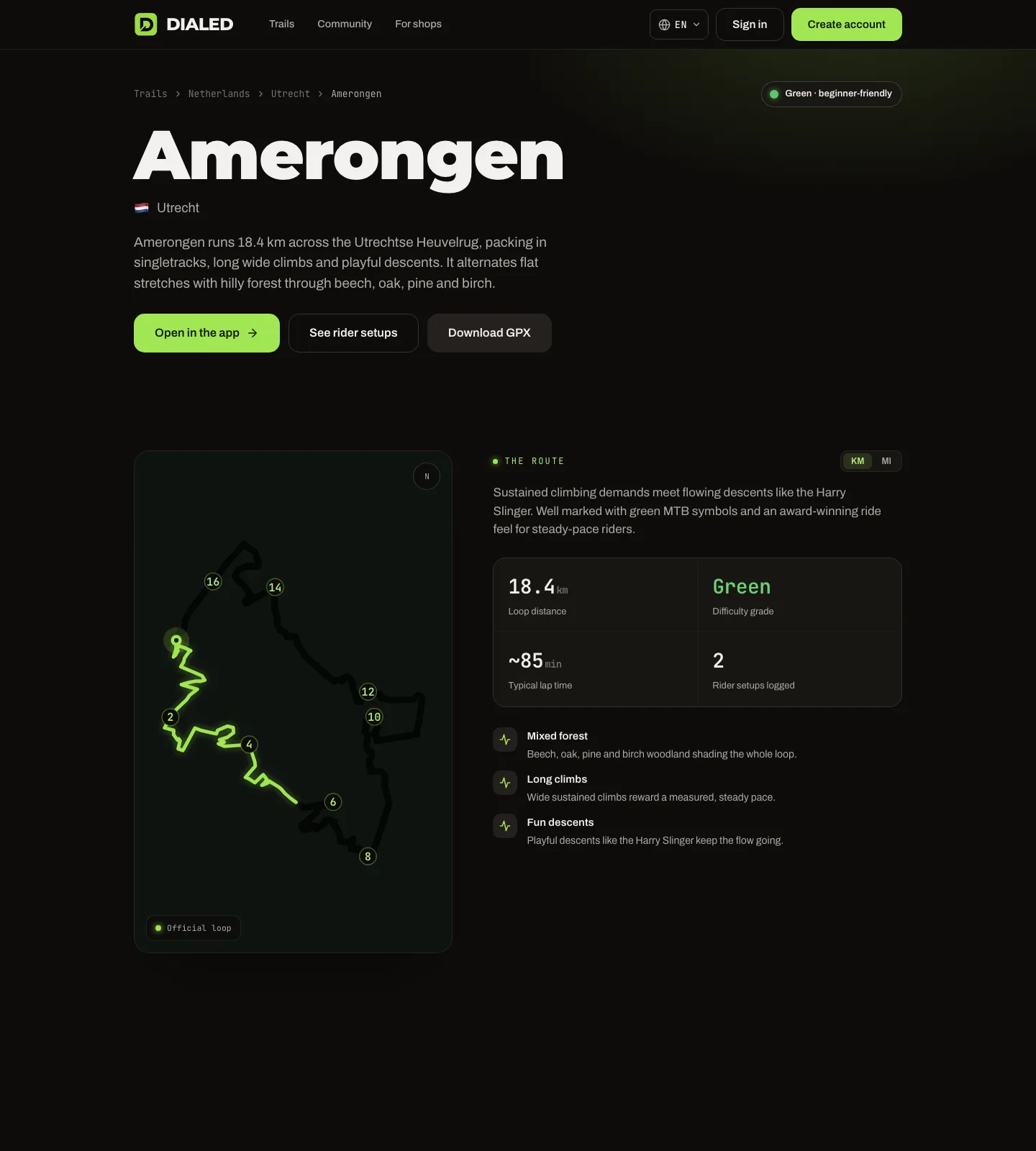
A trail page collects the community around a loop: rider setups logged there, route stats like typical lap time (medians from real recorded rides, not estimates), difficulty and surface character. Favorite the trails you ride and they surface first everywhere you pick one.
Sharing
Each setup has its own privacy setting: private, friends or public, and optionally shared with your mechanic or a team. Public setups get a share card with a QR code, handy at the trailhead.